Select a product
When your design is ready to be printed, navigate our product range and select your desired item to begin the ordering process. The product page displays the item information, images, turnaround and other specs. To get started, click on [Configure Product].

Configure options
This is where you select the size, colors, qty, and finishes you would like. The price will change dynamically depending on what you choose and be displayed in the Your Selection sidebar. Let us know if you have your own print-ready artwork or if you need design assistance, and then click 'Add to cart' to proceed.
Login or create account
You will be prompted to login or create an account to continue.
You will be sent an email with a link to confirm your account.
Upload data and checkout
Upload the print files for each item in your cart, and either add other items to the order, or proceed to checkout. Note that there is no automatic preview of what you have uploaded. If we find anything wrong with your artwork, we will ask you to approve a manual preview later.
You can upload multiple files per job. We accept PDF, jpeg, eps, ai, or png files.
Checkout options
Your shipping address will default to your registered billing address. To deliver to an alternative address, check the box and complete the address fields. The location of the shipping address will effect the delivery cost and shipping time.
Payment is not taken during checkout, but here you can select how you would like to pay - either payment in advance or, if you have a credit agreement in place with us, payment on account. We will raise an invoice once your order details are confirmed and your data checked. Click on [Place Order] to complete the process.
Confirmation email
You will receive an automated email confirming the order was received. Your order details and any uploaded files will be checked carefully.
If there are any file problems you will be notified by email and asked to either resubmit or approve any non-critical issues via your dashboard.
Invoice email and payment
Once everything is good to go, you will receive an email letting you know the invoice is ready for payment.
Login to your dashboard to pay securely online or to download the invoice for offline payment. See Delivery and Payments for more information.
Production confirmation email
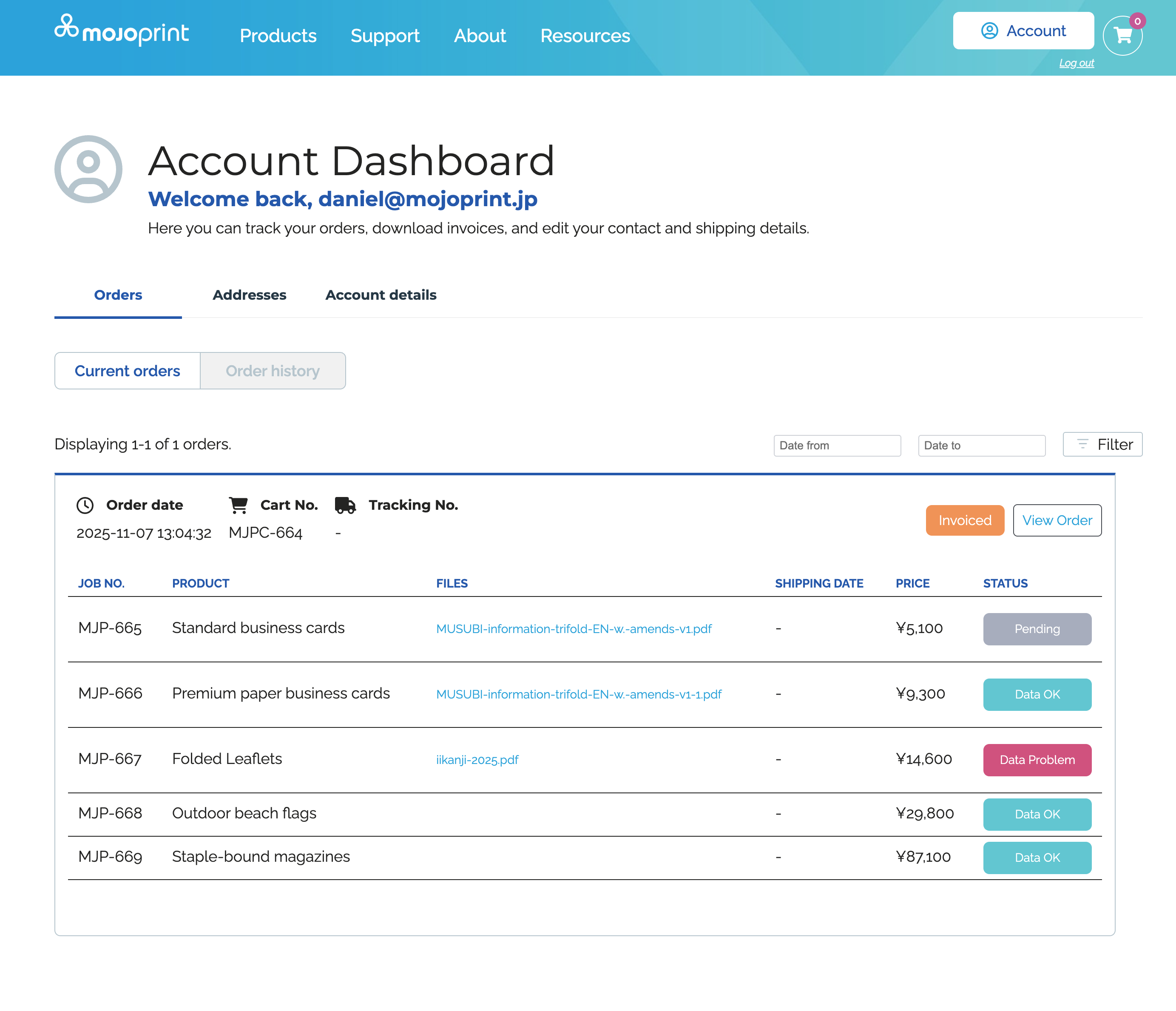
Once payment is received, the turnaround for your item(s) will be confirmed and production will begin. You will receive an email confirming your job has gone to print and it's estimated shipping date. You can check its status anytime in your dashboard.
If you have multiple items in your cart, you will receive separate confirmations per job.
Shipping email
When your order is ready to ship, you will receive a mail detailing the courier and tracking number, as well as the estimated arrival date. You can also check this information directly from your dashboard. See Delivery and Payments for more information
If you have multiple items in your cart, your order may be split into multiple shipments. You will receive separate tracking numbers for each shipment.
Your account
Login to your account dashboard to view your current or previous orders, edit or add shipping addresses, and check delivery tracking numbers.

Developed with
 in Osaka by ArticNet